


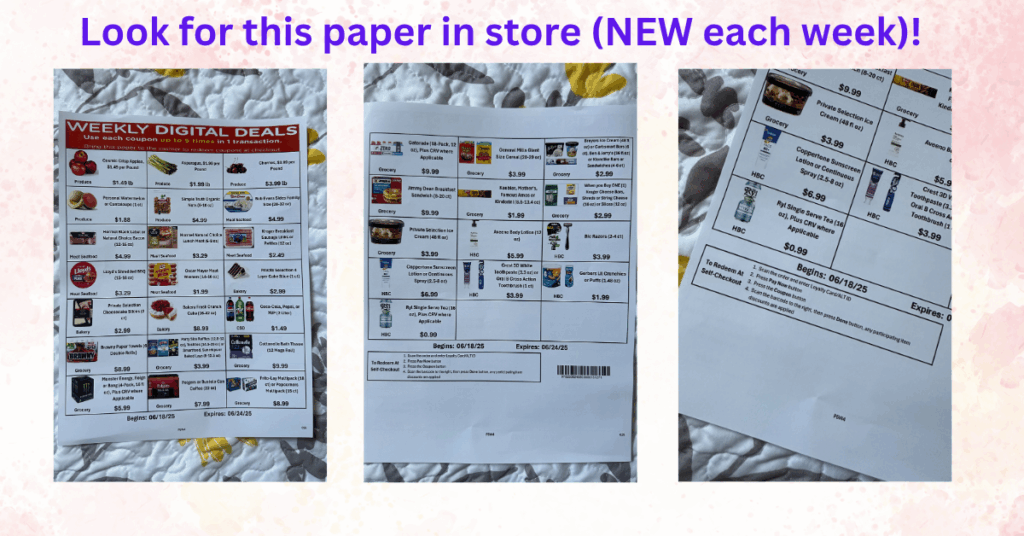
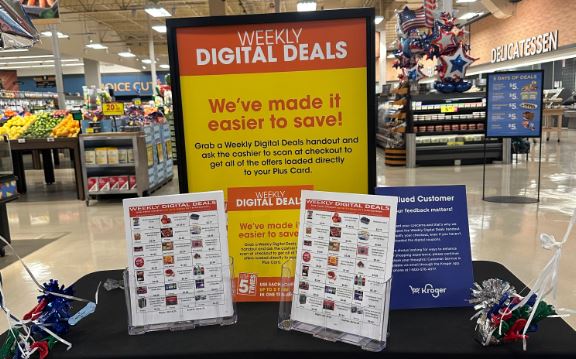
Kroger’s Weekly Digital Deals just got even easier. You can now grab a printed sheet of this week’s hottest sale items right inside your Kroger store—look for it near the entrance or at customer service. Here’s the best part: any coupon you redeem while shopping will automatically link to your Kroger Plus account at checkout. No clipping. No scrolling through the app in the aisle.
At self-checkout? Just follow these steps:
- Scan your items and enter your Loyalty Card or Alt ID.
- Press the “Pay Now” button.
- Press the “Coupon” button.
- Scan the barcode on the sheet, then press “Done.”
Your savings will apply instantly to any qualifying item. Easy, right? This is perfect if you’re in-store already and forgot to load your digital coupons—or just want a quick visual of the best deals. That barcode on the sheet is your new best friend.
I totally HATE your so called digital coupon program. Bottom line I purchase items displaying a sale price and fail to see that it requires a digital coupon. Digital coupon required is often in much smaller print. Just happened to me today with cherries which I thought were on sale for $3.99/pound. I ended up paying $5.99/pound because I failed to clip the digital coupon. If your loyal customers have gone through the trouble of creating an account why not automatically give them the so called digital coupon price just like we get the with card sale price. Can’t imagine how much extra money Kroger scams it’s customers with this digital coupon scam.
I never received coupon in mail or on line
Everyone gets digital coupons on the website or the app.